

Description
How to Charge Fasta Vape: Complete USB-C Charging Guide 2026
Master how to charge Fasta Vape with this complete Fasta Vape charging guide for all USB-C rechargeable disposable models. Learn charge light meanings, charging times, battery indicators, and troubleshooting tips for 8000–35K puff devices. Proper charging extends battery performance and maximizes total puff output.
Unlike traditional disposables, Fasta Vape devices use universal USB-C compatibility, meaning most phone chargers will work safely.

Fasta Vape USB-C Port Location
(How to Charge Fasta Vape)
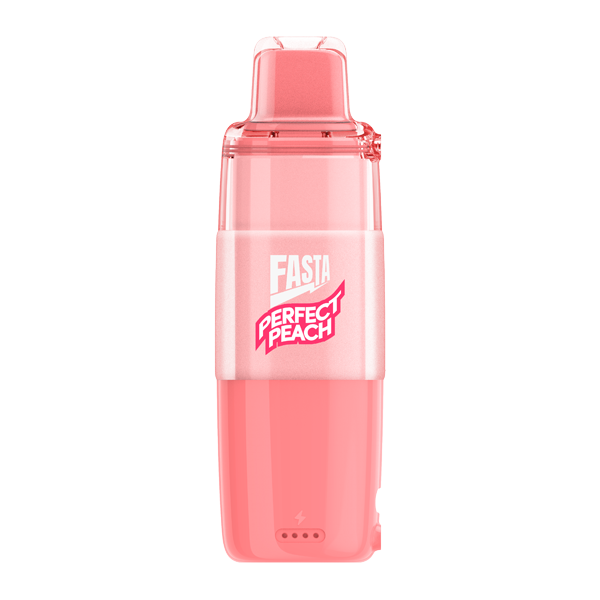
Most Fasta Vape models feature a bottom USB-C charging port.
Port Identification:
- USB-C (oval shape, reversible)
- Located at bottom of device
- May include rubber protective cover
- LED indicator near the port
Tip: Clean the charging port gently before plugging in.
Step-by-Step: How to Charge Fasta Vape Properly
- Use a USB-C cable (standard phone charger works).
- Use a 5V/1A wall adapter (avoid fast chargers).
- Insert cable firmly into bottom port.
- Plug into power source.
- Red light = charging started.
- Wait 45–60 minutes.
- Green light (or light off) = fully charged.
- Unplug and test device.
Fasta Vape Charge Light Meanings
- Red (solid): Charging
- Red (blinking): Low battery
- Green (solid): Fully charged
- Green (blinking): Nearly full
- No light: Fully charged or battery depleted
Screen models display exact battery percentage.
Fasta Vape Charging Time Guide
- 8000 Puff (850mAh): ~45 minutes
- 12000 Puff (1000mAh): ~60 minutes
- 35K Puff (1200mAh): ~75 minutes
Average full charge provides thousands of puffs depending on usage style.
Best Chargers for Fasta Vape
(How to Charge Fasta Vape)
Recommended:
- Standard 5W phone adapter
- Laptop USB port
- Car USB charger
Avoid:
- Fast chargers above 15W
- Wireless chargers
- Low-quality cables
Can You Vape While Charging?
Yes. Fasta Vape supports passthrough charging, allowing use while plugged in. Charging may take slightly longer during use.
Charging Mistakes to Avoid
- Do not charge overnight
- Avoid fast-charge adapters
- Keep device upright while charging
- Always unplug when fully charged
Troubleshooting: Fasta Vape Not Charging
- No red light → Clean port, try different cable
- Blinking lights → Use lower power adapter
- Overheating → Unplug immediately
- No response → Leave plugged in for 30–60 minutes
Most charging issues are cable-related.
Quick Reference Guide
🔴 Red = Charging
🟢 Green = Fully Charged
No Light = Done or Empty
Blinking = Check cable
Shop USB-C Rechargeable Fasta Vape Models
All rechargeable Fasta Vape models include USB-C compatibility for fast and convenient charging. Choose your preferred puff count and enjoy reliable battery performance every time.

Reviews
There are no reviews yet.