
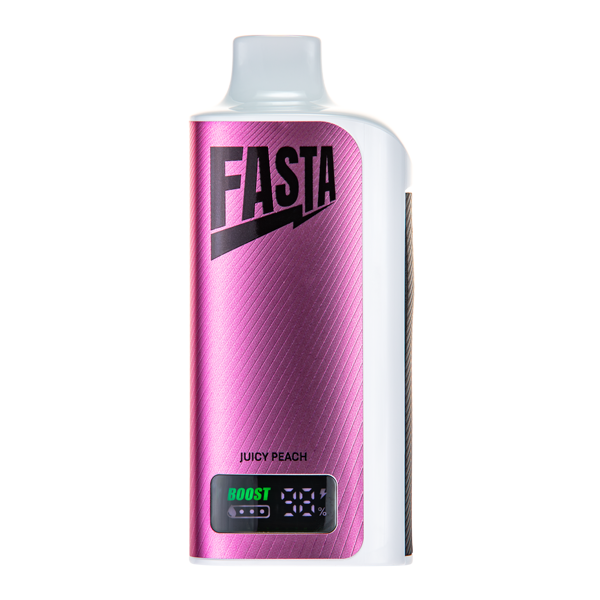
Description
How to Turn Off Fasta Vape: Complete Guide for All Models
Struggling with how to turn off Fasta Vape? Most Fasta Vape disposables are draw-activated (always “on”), but advanced models include turn-off safety locks, child protection, and battery-saving modes. This guide covers the 5-click lock, screen model shutdown, and pocket-fire prevention.
Turning off your Fasta Vape properly helps save battery, prevent accidental firing, and improve child safety across 8000–35K puff models.

Fasta Vape Draw-Activated Models (Always “On”)
Most basic Fasta Vape disposables do not fully power off.
How to Turn Off Fasta Vape – How Draw Activation Works
- Inhale = instant vapor
- No buttons required
- Always ready to use
- Cannot completely power off
This simple disposable design helps maximize battery life.
Method #1: 5-Click Lock (Button Models)
Screen and button models use the 5-click safety lock.
5-Click Lock Steps
- Locate the side button
- Click 5 times quickly (within 2 seconds)
- Screen shows LOCK icon or device vibrates
- LED flashes to confirm
- Repeat 5 clicks to unlock
Works on most button-equipped Fasta Vape models.
Method #2: Child Safety Lock
For extra protection against accidental activation:
Activate Child Lock
- Click 5 times to lock
- Hold button for 10 seconds
- Lock icon appears on screen
Deactivate
- Click 5 times
- Hold 10 seconds again
Method #3: Full Screen Model Shutdown
Some advanced screen models allow full power off.
Shutdown Steps
- Triple-click to open menu
- Scroll to Power
- Hold 3 seconds
- Confirm shutdown
- Screen turns black
To restart: 5 clicks + inhale.
Full shutdown can significantly reduce battery drain.
Auto-Lock & Sleep Mode
Many smart models automatically enter sleep mode after inactivity:
- 5 minutes idle = sleep
- 2 hours idle = deep sleep
- Wake with a puff or button click
Prevent Pocket Firing
(How to Turn Off Fasta Vape)
To stop accidental firing in pockets:
- Use 5-click lock
- Close airflow slider
- Store upright
- Use a protective case
Troubleshooting: Fasta Vape Won’t Turn Off
- Recharge device fully, then retry
- Use 5 rapid clicks
- Hold button 10 seconds for force restart
- Ensure airflow is not blocked
Travel & Storage Safety
For airplane travel:
- Activate 5-click lock
- Keep in carry-on only
- Use protective case
For long-term storage:
- Lock device
- Close airflow
- Store in cool, dry place
- Keep upright
Quick Turn-Off Reference
- Basic Disposable: Cannot power off
- Button Model: 5 rapid clicks
- Child Lock: 5 clicks + 10-second hold
- Screen Model: Menu → Power → Shutdown
Shop Fasta Vape Lockable Models
(How to Turn Off Fasta Vape)
Choose screen-equipped Fasta Vape models for advanced safety, full shutdown options, and better battery control.
Safe. Smart. Simple.

Reviews
There are no reviews yet.